Healthy Screen Time. Keep Your Children Safe.
Automatic bedtime locks, app limits, and harmful content blocking. Set up in 2 minutes. No daily arguments. No technical skills.



Sound familiar?
Most parents deal with the same things.
"Just five more minutes"
Every day, same argument.
Moody after screen time
Irritable, won't talk, won't stop.
Can't focus on homework
30 minutes of work takes 2 hours.
Up past bedtime
Screen still on. Tired every morning.
It doesn't have to be this way.
Harmful Content Blocked. Automatically.
All harmful apps and websites blocked the moment they're accessed. Automatic SafeSearch on all major search engines including Google and Bing - no inappropriate search results.
Blocked Automatically
- Adult Content & Dating
- Gambling & Betting
- Violence & Weapons
- Drugs & Substance Abuse
- Social Media (under 16)
- Addictive Games (PUBG, FreeFire)
Always Accessible
- Educational Content
- News & Information
- Health & Government
- Maps & Navigation
- Emergency Communication
- Sports & Entertainment
Distraction-free study hours. Better sleep.
Set strict study schedules and bedtime locks to ensure your child succeeds.
Time Windows
Control when specific apps are accessible. YouTube only 7-8pm. Social media on weekends only. Gaming after homework. Different rules for weekdays vs weekends.
Study Mode
Activate study mode during homework time. Only educational apps (Google Classroom, Vedantu, Unacademy) work. Everything else blocked until study time ends.
Bedtime Lock
Device locks at bedtime (10PM for kids, 11PM for teens). No more late-night YouTube or gaming. Unlocks automatically in the morning.
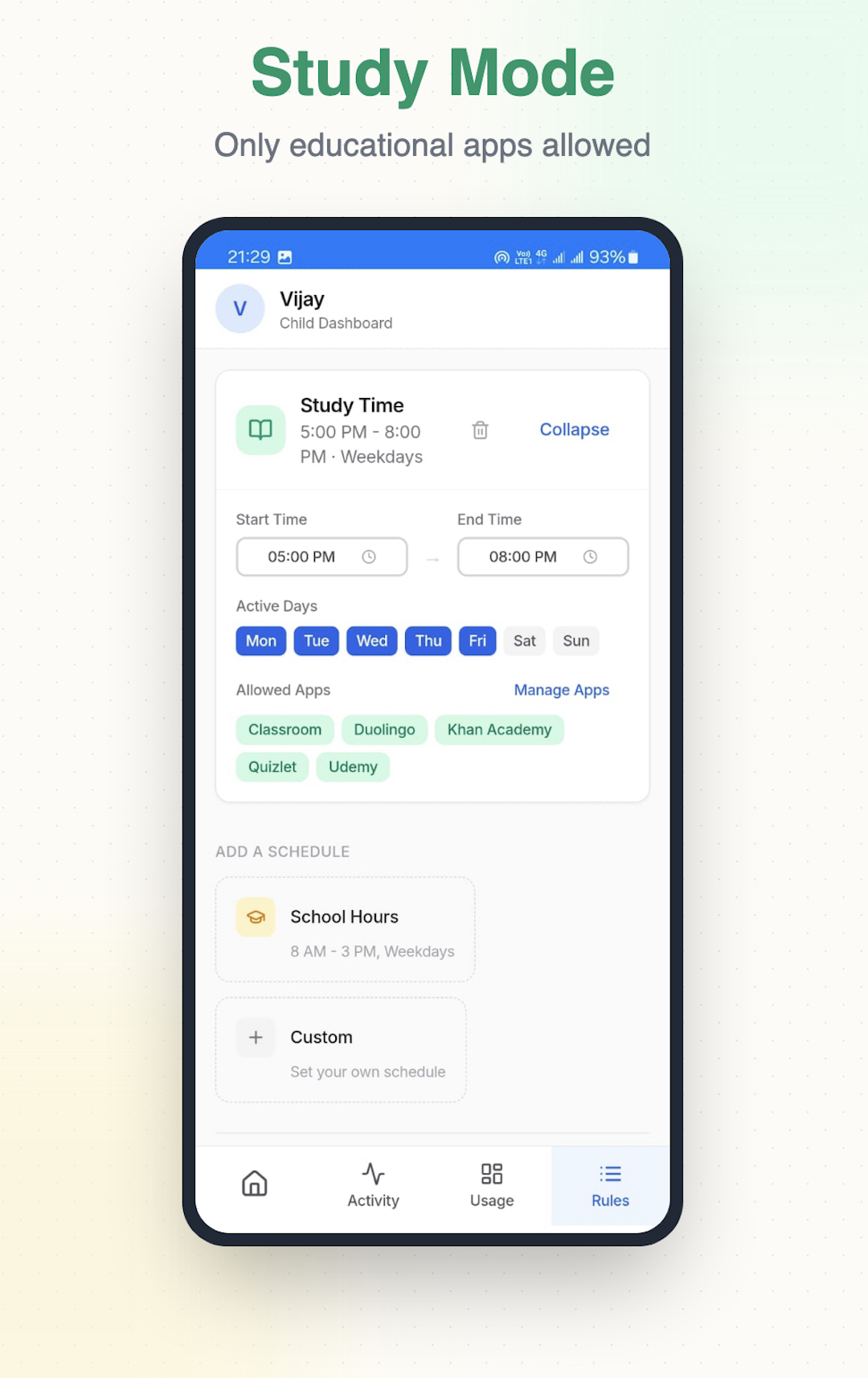
Study Mode
Only educational apps allowed
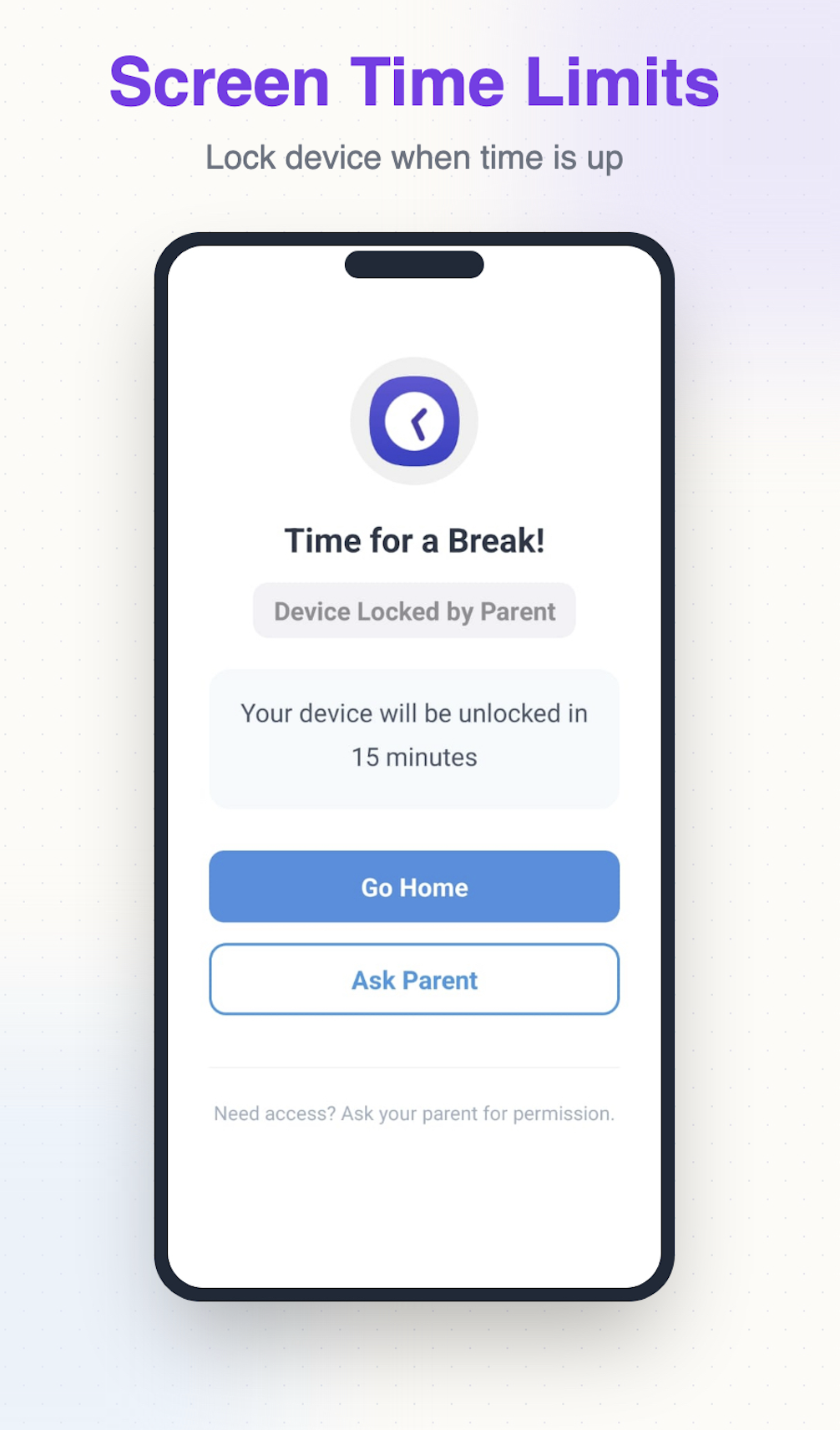
Screen Time Limits
Lock device when time is up
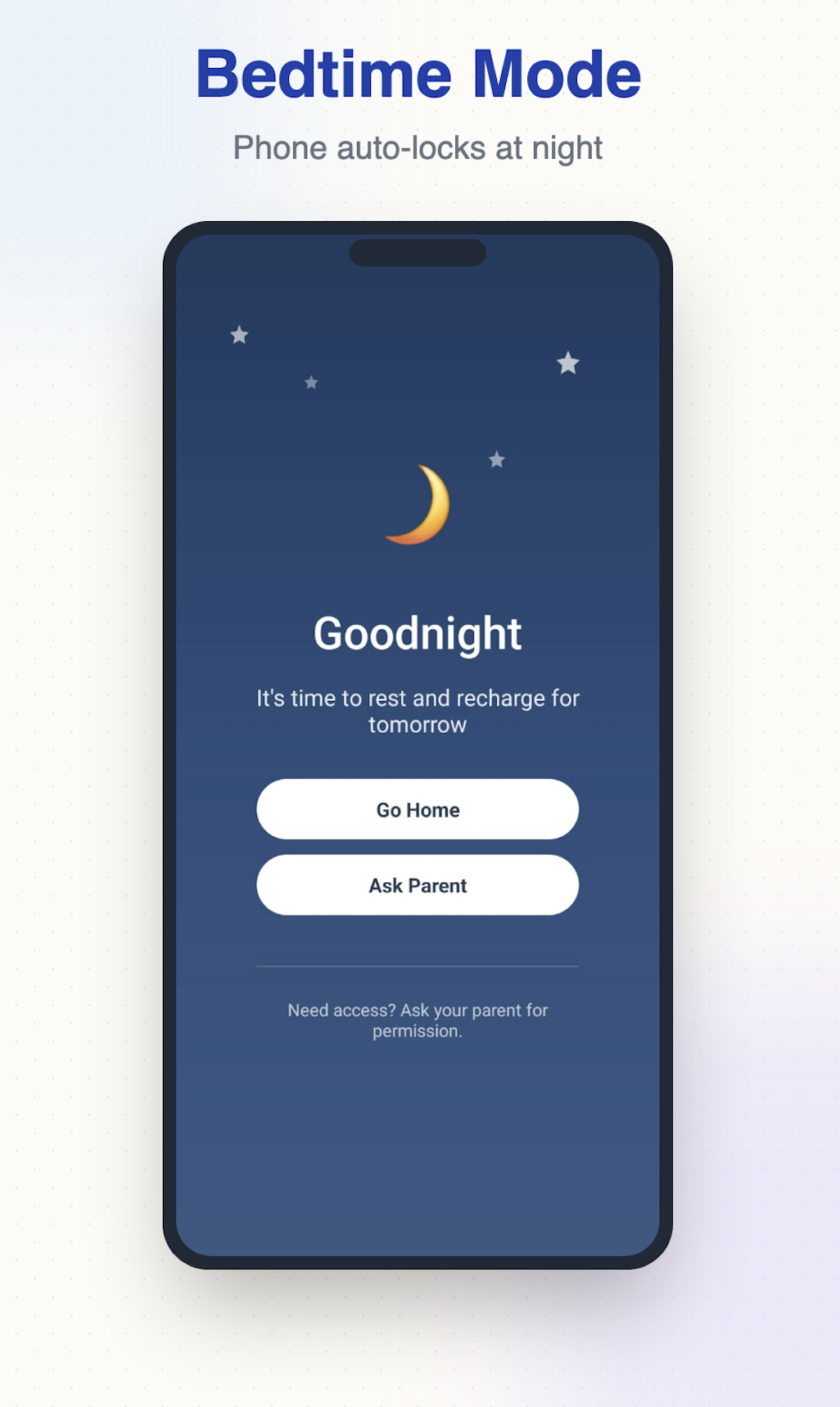
Bedtime Mode
Phone auto-locks at night
Study Mode
Only educational apps allowed
Understand How Devices Are Used.
See what matters: which apps your child uses, for how long, and when. Clear, digestible reports instead of endless logs.
Live Activity Feed
See which apps and websites are being used right now, with clear summaries instead of raw logs.
Complete Usage Analytics
Time spent per app, top websites, search trends, and blocked attempts — presented as clear insights you can act on.
YouTube Watch History
Video titles, channel names, and time spent on each video. Understand their viewing habits.
Automated Reports
Daily and weekly summaries delivered to your phone. Stay informed without having to check constantly.
Real-Time Location
See where your child is on an interactive map with movement history throughout the day.
We focus on apps, categories, and time spent — not the content of private messages or social media chats.
Child wants 15 mins for "Roblox"
Your Family, Your Rules.
Manage everything from your phone, wherever you are.
Instant Alerts
Get notified immediately when they try to access blocked websites or install restricted apps. Stay informed when boundaries are tested.
Device Lock & Requests
Lock their device with one tap. They can request extra time or new apps - you decide with one tap.
Daily & Weekly Reports
Comprehensive reports with apps used, time spent, websites visited, searches made, and blocked attempts.
Perfect for Shared Devices
Enable Study Time before handing your phone to your child. Only apps you select will work.
One-Tap Activation
Enable Study Time with a single tap before handing your phone to your child. Only selected apps will work.
Only Allowed Apps Work
Choose which apps are accessible during Study Time. Everything else is automatically blocked.
Easy to Switch Off
When you take your phone back, enter your PIN and disable Study Time. Your phone returns to normal instantly.
Get Started in 2 Minutes
Simple setup. Powerful protection. Manage from anywhere.
Sign Up & Get Your Code
Sign up at parentaledge.com. Add your child's name and age group (Elementary, Pre-Teen, or Teen). Protection rules are created automatically based on age. You'll get a unique 6-digit registration code.
Install & Activate Protection
Install the ParentalEdge Kids app on your child's device and enter the 6-digit code. All protection rules activate instantly - harmful content blocked, time limits set, monitoring live.
Monitor & Manage Anytime
Use the ParentalEdge Parental Control app or web dashboard to see activity, approve requests, adjust rules, or lock devices. Get daily reports automatically.
Simple, Transparent Pricing
One plan for your whole family. Every feature included. Try everything risk-free for 30 days.
Everything included:
iPhone/iPad note: Due to Apple restrictions, app usage on iOS devices can't be reported to the parent dashboard, but can be viewed directly on the child's device.
Family Plan
Protect your whole family
No credit card required • All your family's devices
Schools and businesses contact us for pricing.
Your Family's Privacy Protected
We never read your child's private messages or social media content. Full compliance with GDPR, COPPA, and global privacy laws. Your data stays encrypted and secure. Never sold to advertisers. Never shared with third parties. Delete your account and all data anytime.
View Privacy PolicyQuestions Parents Ask
Get answers to the most common concerns before you start.
No. ParentalEdge uses Device Administrator permissions that prevent uninstallation without your password. The app also can't be force-stopped or disabled from settings.
No. Educational apps like Google Classroom, Vedantu, Unacademy, and Khan Academy are always allowed. During Study Mode, only educational apps work - everything else is blocked until homework time is over.
Calls and messages always work, even when the device is locked during bedtime or study hours. Your child can always reach you or emergency services. You can also whitelist essential apps that remain accessible.
ParentalEdge works on Android phones and tablets, iPhones and iPads (iOS), and MacBooks (macOS). One parent account manages all your children's devices from anywhere.
From Our Blog
Practical guides on screen time, online safety, and digital parenting.
Karnataka Bans Social Media for Under-16s: What Parents Need to Do Now
Karnataka has banned social media for children under 16. Learn what this means for your family, how enforcement will work, and the practical steps parents must take today to protect their children online.
Read articleProduct GuidesQustodio Screen Time Limits: Why Daily Budgets Fail (2026 Comparison)
Compared Qustodio, Bark, Family Link & ParentalEdge screen time limits side-by-side. See why daily budgets cause daily arguments and what actually works instead.
Read articleProduct GuidesHow to Block YouTube Channels for Kids: 5 Methods That Actually Work
Step-by-step guide to blocking specific YouTube channels on your child's phone. Covers YouTube settings, YouTube Kids, parental control apps, and router-level blocking.
Read articleProduct GuidesBest Parental Control App for Android in India (2026)
Compare the top parental control apps for Android in India: ParentalEdge, Family Link, Qustodio, Norton Family. Covers OEM skins, battery issues and vault apps.
Read articleProduct GuidesWhat ParentalEdge Adds to Google Family Link (2026 Update)
A factual comparison of Google Family Link and ParentalEdge as of 2026 — what Family Link covers, where it stops, and what ParentalEdge adds on top.
Read articleParenting by AgeScreen Time Guidelines by Age: How Much Screen Time for Kids 5-16 (2026)
Expert screen time guidelines for every age from 5 to 16. WHO and AAP recommendations, what counts as screen time, and practical tips parents can use today.
Read articleReady to Protect Your Family?
Start your free 30-day trial today. No credit card required.
Start Free TrialSetup takes 2 minutes. Cancel anytime.